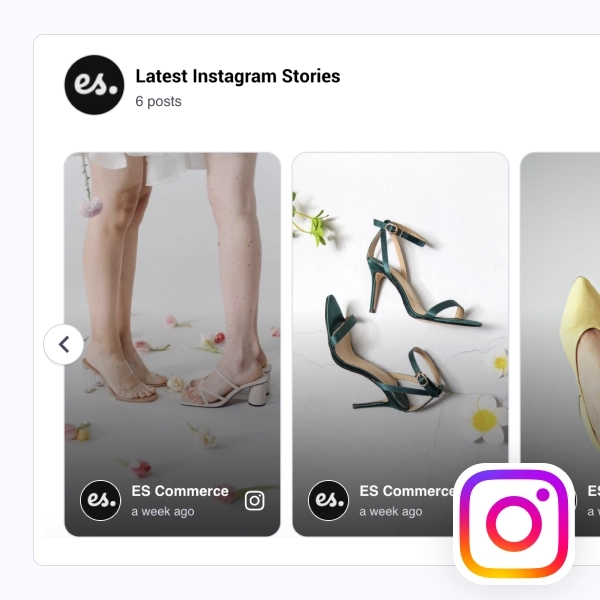
This Instagram slider gives your latest posts a clean, stripped-back presentation that feels easy to place on almost any website. With a simple header, visible post count, follow CTA, and flat post cards arranged in a horizontal slider, it keeps the focus on the content without adding heavy styling or decorative effects.
What makes it work
- Flat card layout: The posts appear in a clean, low-friction format that feels familiar and easy to scan.
- Latest-post framing: The section title and post count make the feed feel active and current.
- Horizontal slider flow: Visitors can browse through more posts without turning the section into a long gallery.
- Content-first design: The simple layout keeps attention on the images and videos instead of on interface details.
- Instagram identity cues: Profile labels, timestamps, and small platform icons help the source stay recognizable.
- Mixed media support: Static posts and video posts can appear together inside the same slider.
- Follow CTA: The
Follow usbutton gives visitors a direct path back to the Instagram profile.
Best fit for
- Ecommerce homepages
- Fashion and lifestyle sites
- Brand landing pages
- Creator and portfolio websites
- Businesses that want a simple Instagram section without a full feed wall
How to embed it
- Connect your Instagram source in EmbedSocial.
- Choose the Flat Instagram Slider template.
- Customize the title, visible post count, profile details, and follow button.
- Set how many posts should appear in the slider and how the navigation should behave.
- Copy the embed code.
- Paste it into your website, landing page, or CMS and publish.
Show your latest Instagram posts in a slider that feels clean, current, and easy to browse at a glance.