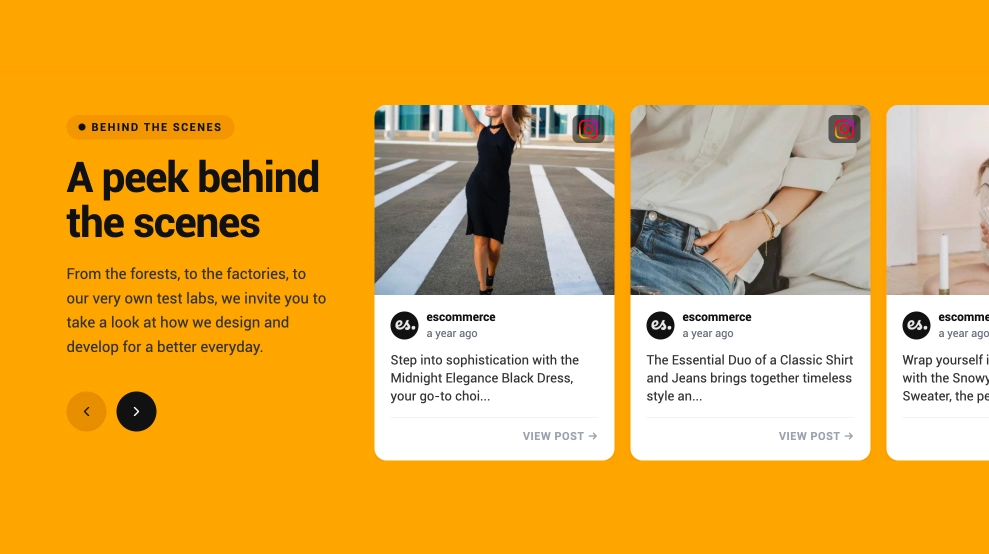
This Instagram widget turns your latest posts into a clean gallery that keeps moving on its own, making the section feel active without needing constant clicks. It combines a simple profile-style header, visible post count, follow CTA, and a structured image grid that can auto-scroll through fresh content while still feeling easy to browse at a glance.
What makes it work
- Auto-scrolling gallery: The feed keeps moving through posts automatically, which helps the section feel current and alive.
- Clean grid layout: The posts stay organized in a neat visual gallery instead of a cluttered social feed.
- Latest-post framing: The title and post count signal that the content is fresh and regularly updated.
- Image-first presentation: Large square cards keep the focus on the visual storytelling of the brand.
- Instagram identity cues: Small platform icons make the source immediately recognizable.
- Follow CTA: The
Followbutton gives visitors a clear next step after exploring the gallery. - Balanced browsing experience: Even with motion, the layout stays calm and easy to scan.
Best fit for
- Fashion and lifestyle websites
- Ecommerce homepages
- Brand lookbook sections
- Creator and portfolio pages
- Businesses that want Instagram content to feel active without relying on a manual slider
How to embed it
- Connect your Instagram source in EmbedSocial.
- Choose the Instagram Grid Gallery Widget with Auto Scroll template.
- Customize the title, post count, visible profile details, and follow button.
- Set the auto-scroll behavior, speed, and how the grid should arrange across devices.
- Copy the embed code.
- Paste it into your website, landing page, or CMS and publish.
Show your latest Instagram content in a grid that feels fresh, visual, and continuously alive on the page.